Mirroring Tutorial
There are 2 steps to play games on mobile device but broadcast on your PC:
1. Mirroring the mobile screen to PC;
2. Start streaming on PC
1. Mirroring the device
1) Android:
1.1 Download mirroring software ‘ApowerMirror’on your laptop via: https://www.apowersoft.cn/phone-mirror

1.2 Download ‘ApowerMirror’ in your mobile device
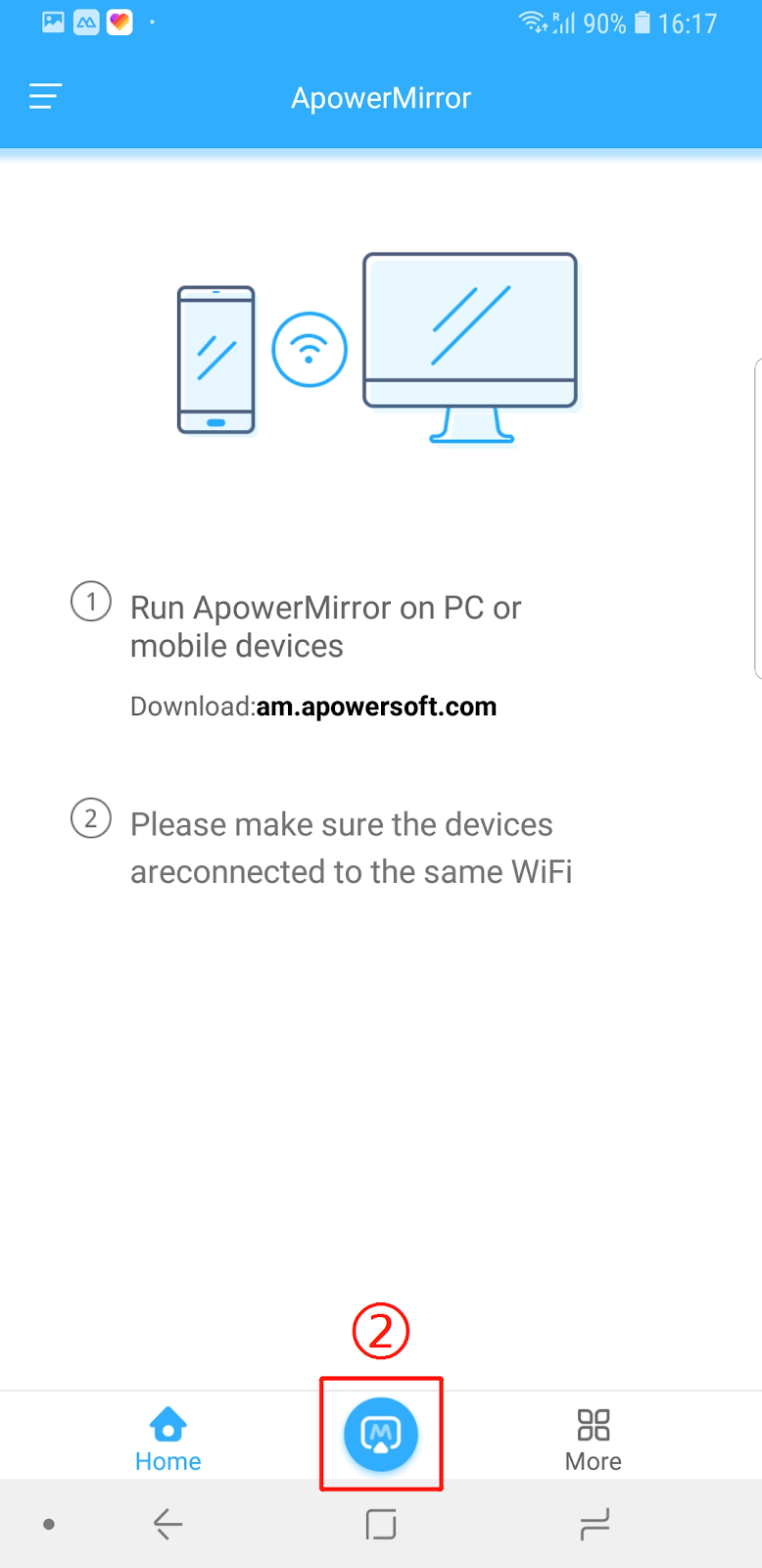
1.3 Open ApowerMirror and click ‘Mirror’ at the bottom (make sure your laptop and mobile are under same Wi-Fi condition), ApowerMirror will start searching for PC devices that are on the same Wi-Fi network and have ApowerMirror installed.
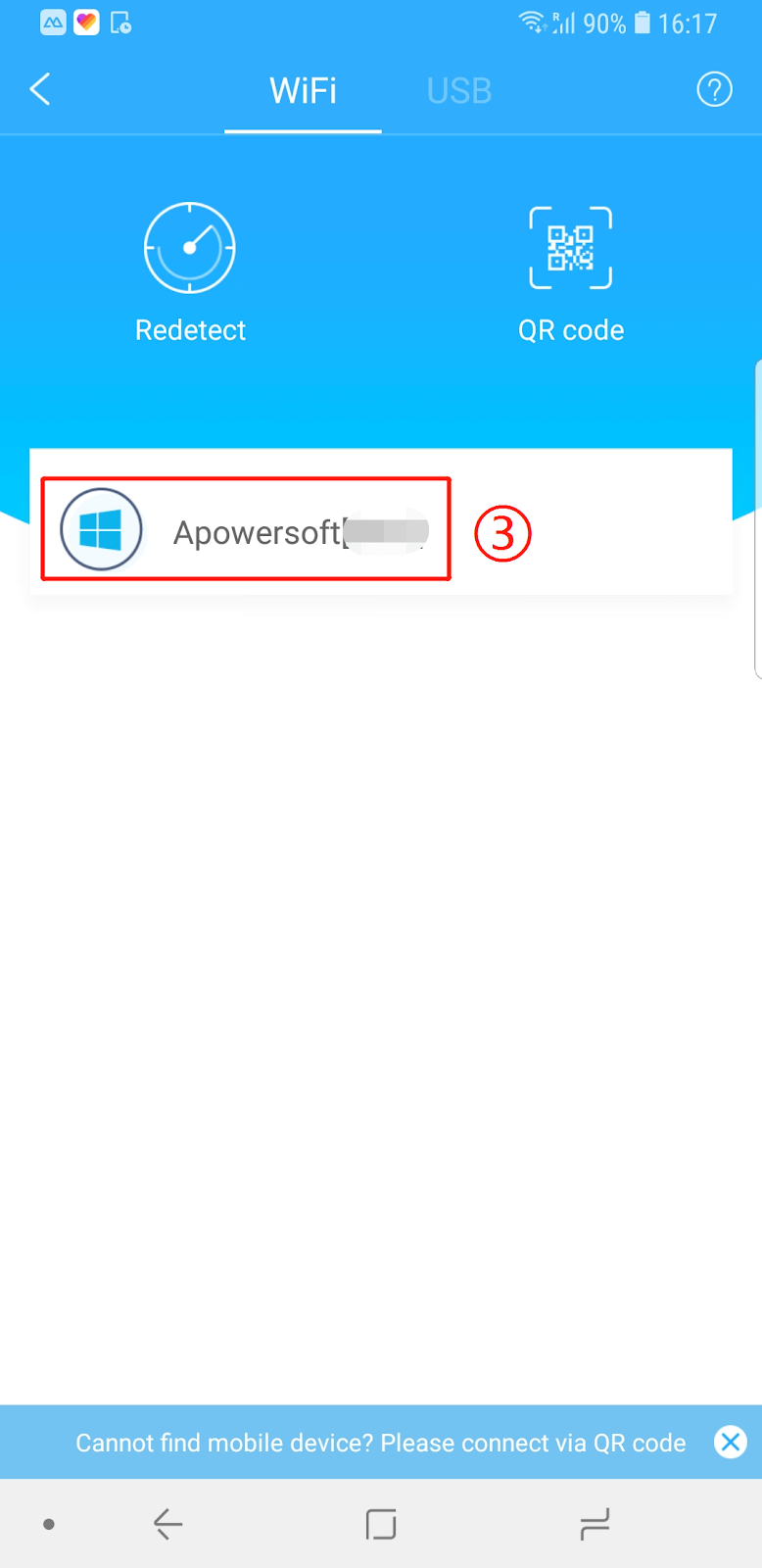
1.4 Then select your device, ApowerPlayer will capture the screen automatically. Mirroring success!
2) iOS:
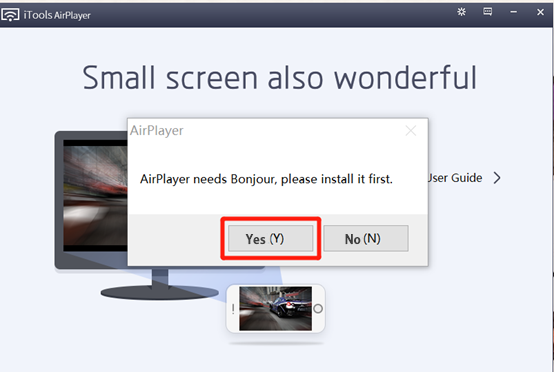
1.1 Download air player in your PC. The first time you open AirPlay, the system will pop up “requires Bonjour to excute AirPlayer, please download”, please choose YES. (AirPlayer is a paid product and can be used for free within 7 days.)Download address: https://www.thinkskysoft.com/airplayer/

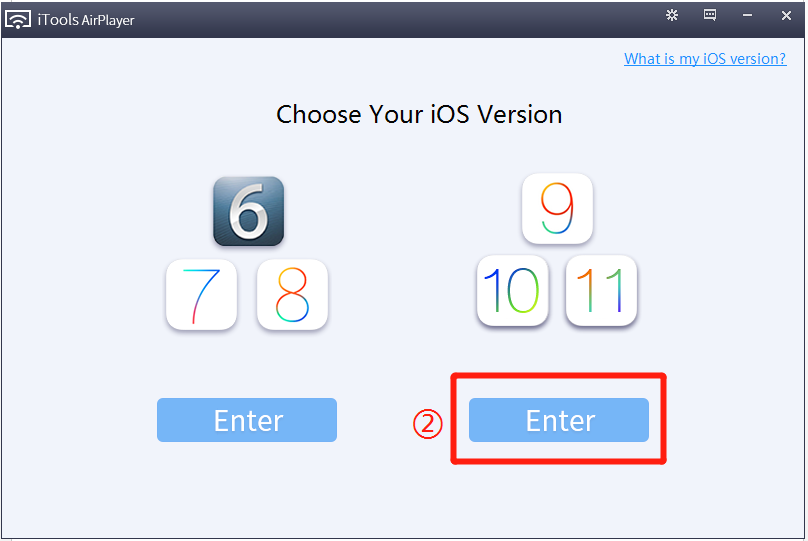
1.2 Open air player and choose your iPhone version
1.3 Swipe up from the bottom of any page, click airplay, and then select your computer, and open the mirror switch (Noted: phone and computer need in the same wifi network)
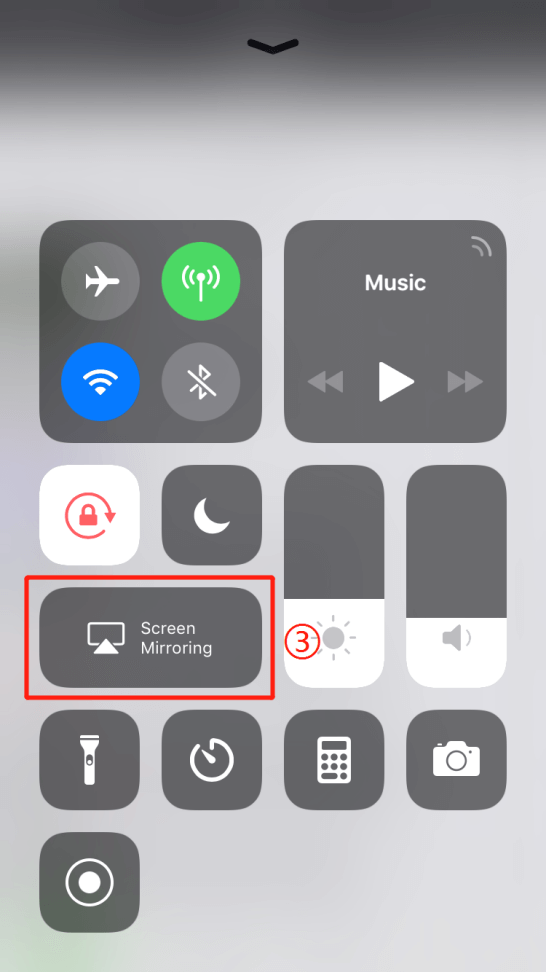
1.4 Select the computer starting with “AirPlayer” in the “AirPlay” list. AirPlayer will capture the screen automatically. Mirroring success!

2. Stream at PC
Once you mirroring your phone to pc, you can start streaming by using OBS. The tutorial can be found via : https://www.nimo.tv/download/streamer-pc